BOL Preferences
BOL Preferences control how Bill of Lading documents are generated, formatted, and branded throughout the warehouse and transportation workflow. These settings determine what information appears on the BOL, how customer-facing documents are styled, and what additional detail is included for compliance, auditing, and shipment visibility. Configuring these options through contacting I.T. ensures accurate outbound documentation, improved customer communication, and compliance with your facility’s operational and safety standards.
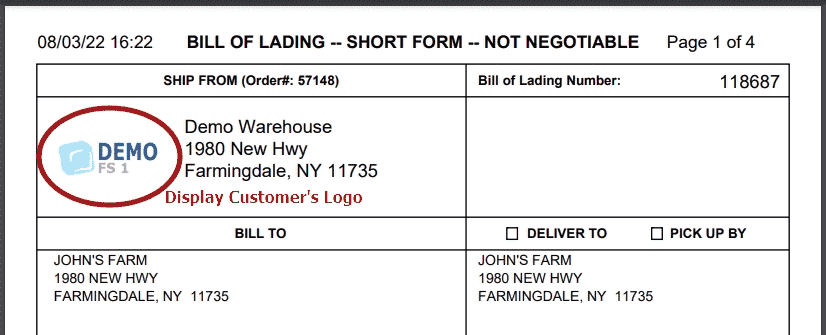
Branded BOLs: Enable Branded BOLs to display the customer’s own company logo on every Bill of Lading they receive.
• Replaces your warehouse/company logo with the customer’s uploaded logo.
• Enhances professional appearance for customer-facing documents.
• Ideal for 3PL facilities wanting to provide white-label documentation.
• Requires setup—contact our I.T. team to activate this feature.
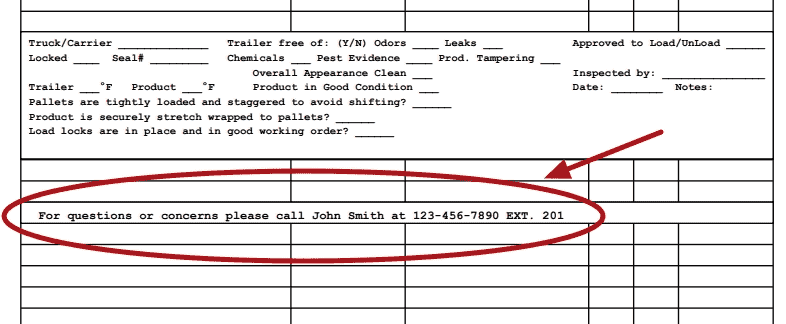
BOL Signature: This preference adds warehouse personnel contact and signature information to the bottom of the BOL.
• Commonly used to show who prepared or verified the shipment.
• Helps customers identify a contact person for audit, delivery, or transportation questions.
• Supports both operational accountability and customer service follow-up.
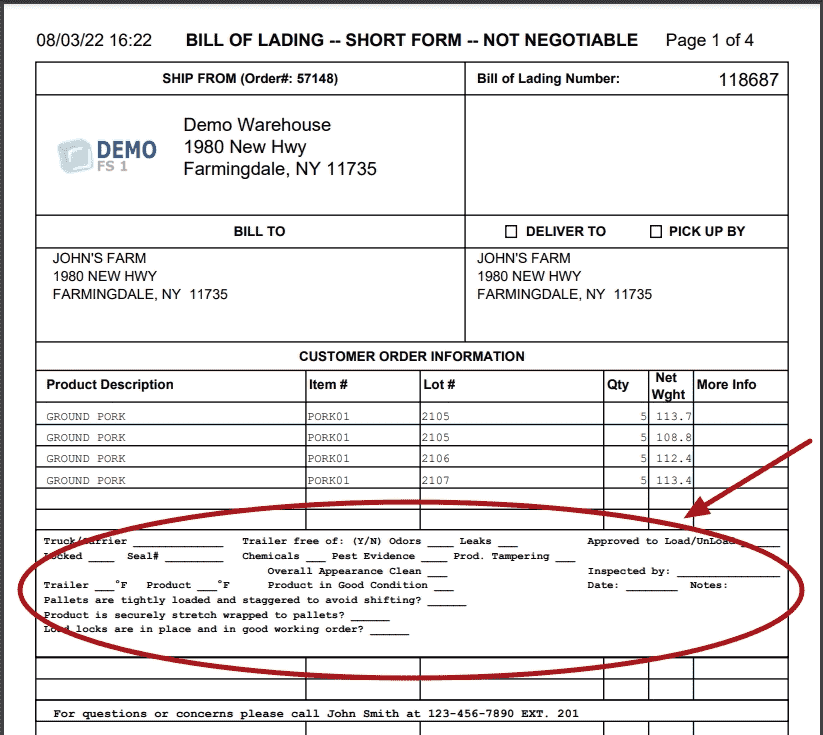
BOL Inspection Stamp: Displays an inspection or compliance stamp directly on the BOL.
• Used to show food safety and regulatory requirements, including SQF standards.
• Certifies that the product and outbound shipment meet safety and handling guidelines.
• Provides customers with confidence that shipments followed approved protocols.
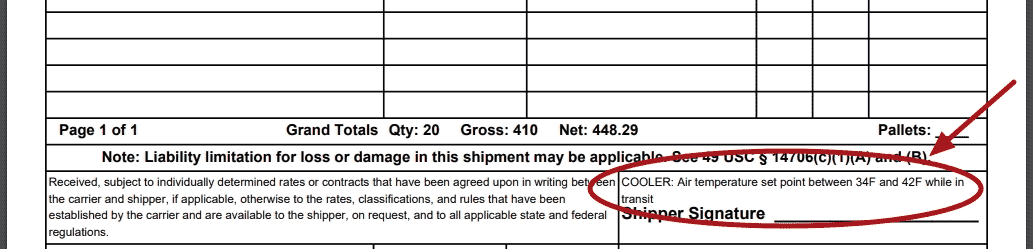
Custom BOL Temperature Text: Allows warehouses to define custom temperature instructions printed on the BOL.
• Useful for refrigerated, frozen, and temperature-sensitive commodities.
• Can include specific requirements such as:
• “Keep Refrigerated at 34–38°F” “Frozen – Maintain at 0°F or Below” “Do Not Break Cold Chain”
• Ensures carriers understand temperature expectations during transport.
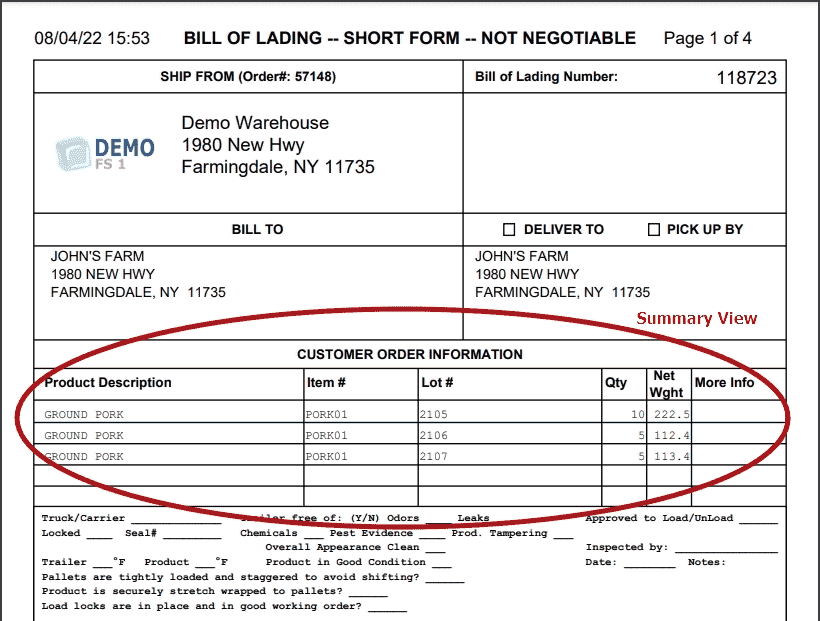
BOL Summary Format: Controls how products appear on the summary version of the BOL.
• Displays one line per item/lot.
• Reduces document length for high-volume orders.
• Provides a clean, consolidated view of items without pallet-level detail.
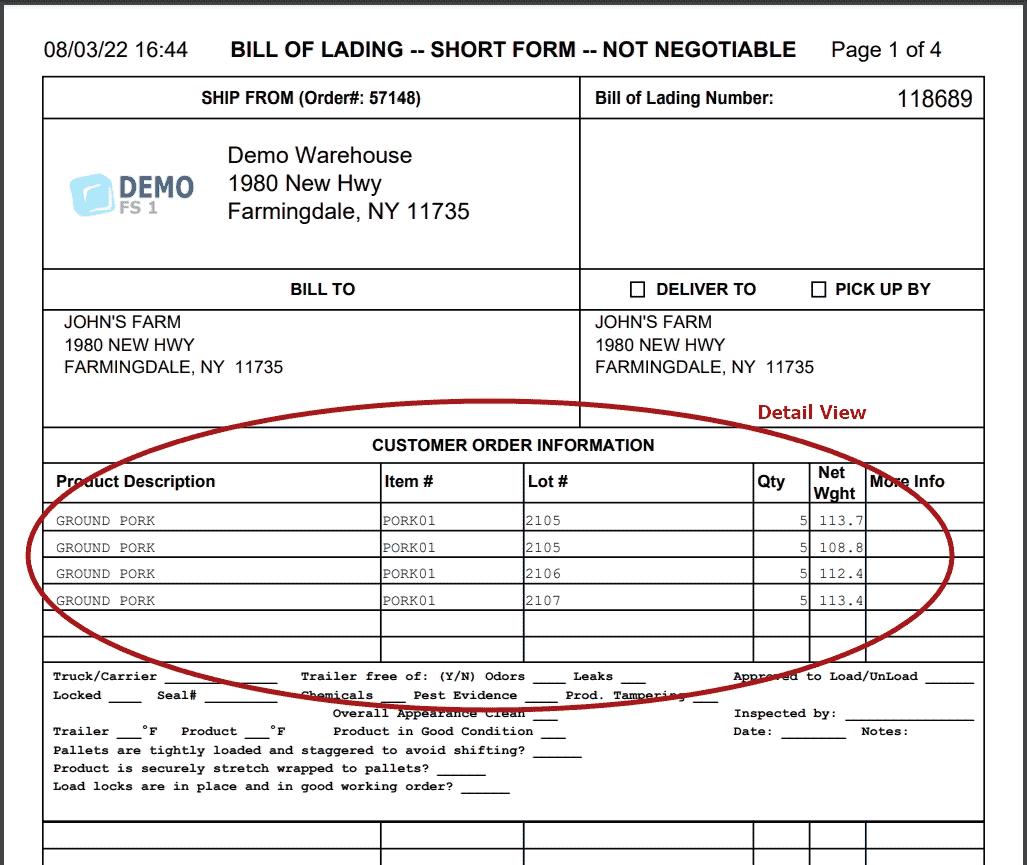
BOL Detail Format: Defines how the detailed version of the BOL is presented.
• Displays one line per pallet, item, and lot combination.
• Offers granular visibility into picking and loading activities.
• Helpful for customers with strict audit needs or pallet-level tracking requirements.
• Useful for orders containing mixed lots or partial pallets.
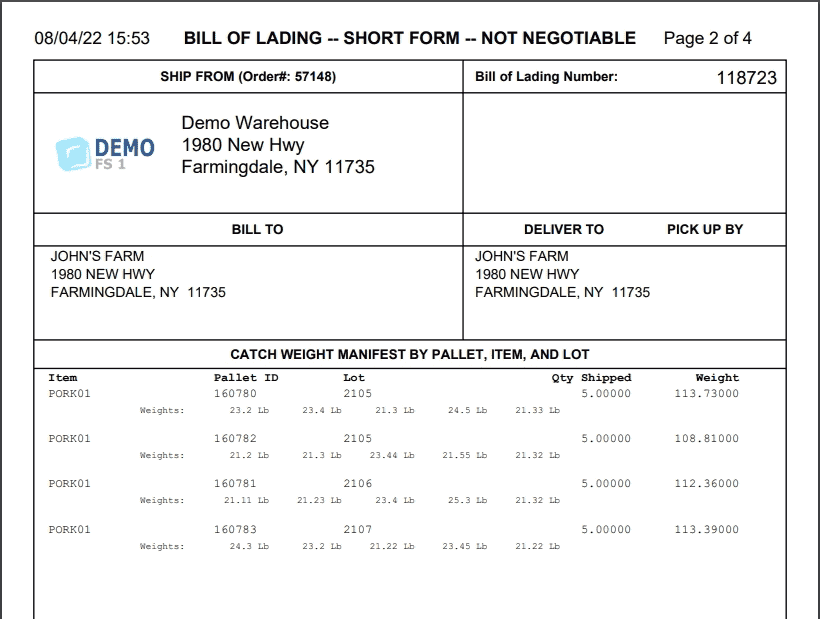
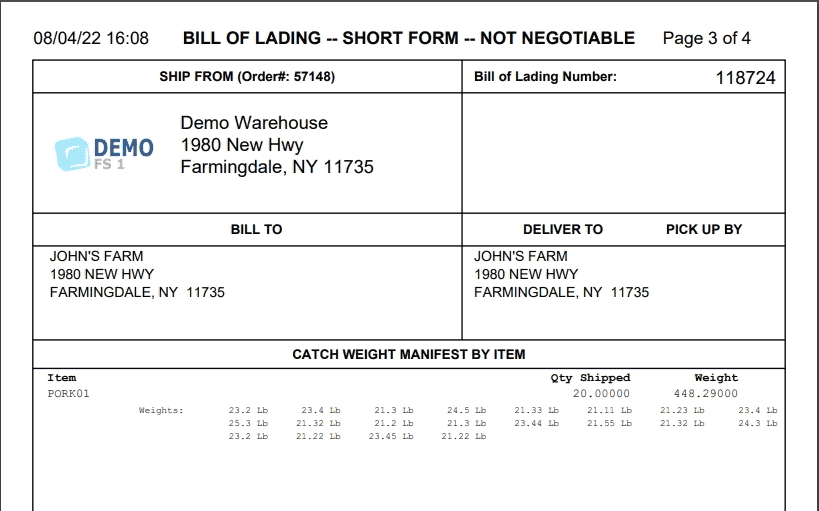
BOL Weight Manifest Pages: Generates additional pages that break down weights in a structured, easy-to-read format. This may include:
• Pallet / Item / Lot weight summaries
• Item-level weight summaries
• Item/Lot weight breakdowns
• Pallet-only weight listings
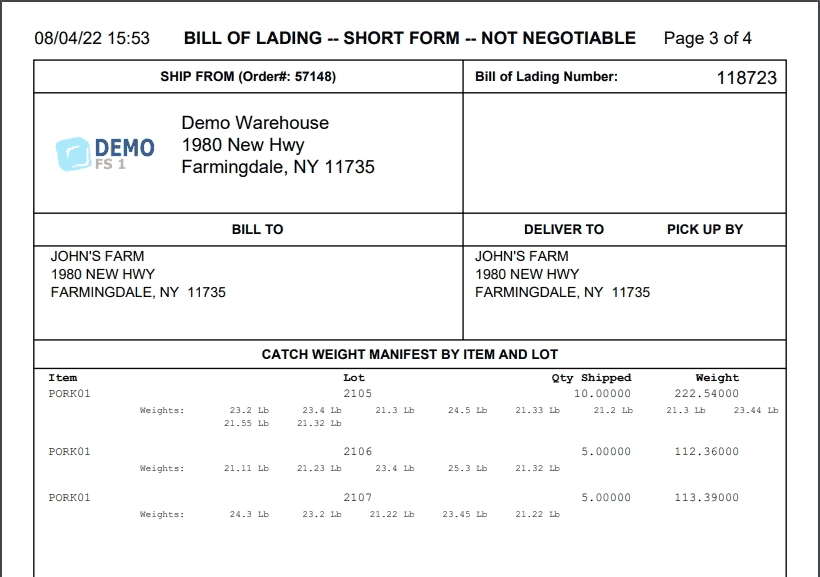
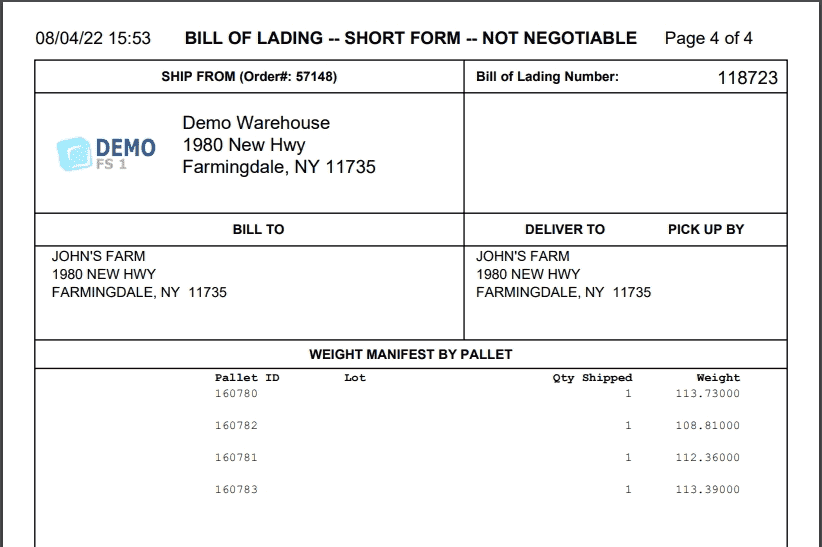
These pages support:
• Carrier weight compliance
• Customer audit trails
• DOT and transportation documentation
• Inbound reconciliation at the delivery location
This option is frequently used by warehouses working with mixed-weight pallets, variable cartons, or customers who require traceability of weight per SKU or per lot.